

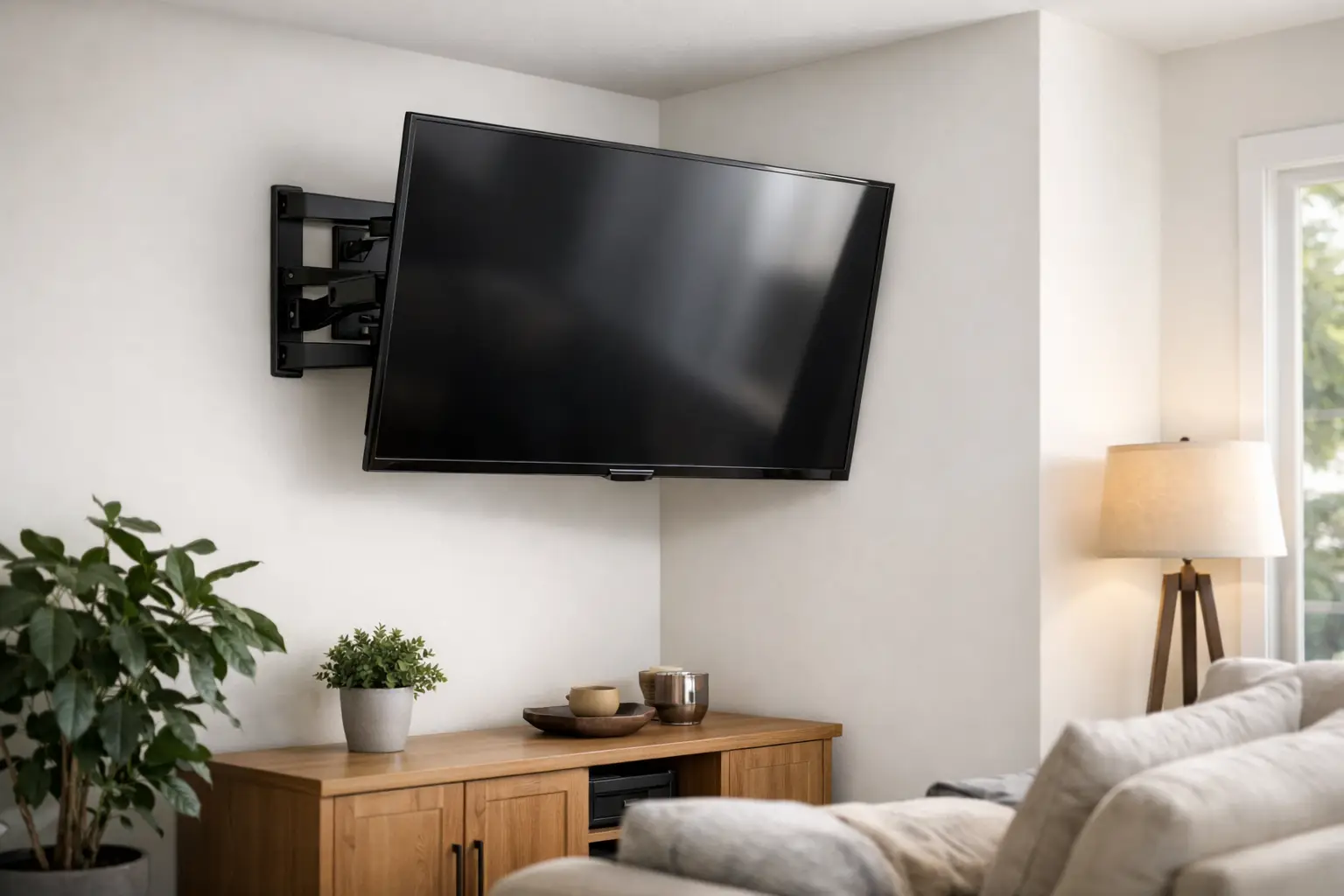
A corner can be the smartest place in the room for a TV. It frees up a main wall for furniture, works well in compact apartments, and can give everyone on the sofa a better view. But finding the best TV mount for corners is not as simple as choosing the first bracket that fits your screen size. The wrong mount can leave the TV pointed awkwardly into the room, block access to cables, or put too much stress on the wall.
For a secure, clean-looking setup, the mount needs to match your TV, your wall construction, and the way you use the room. Here is what to look for before you start drilling.
What Makes the Best TV Mount for Corners?
Most corner installations use an articulating, or full-motion, TV mount. Unlike a fixed mount that holds the screen flat against one wall, a full-motion mount extends, swivels, tilts, and retracts. That range of movement is what allows the screen to sit at a useful angle across the corner rather than facing straight out from one wall.
A true corner TV mount may use two wall plates, with one plate installed on each side of the corner. This design gives the mount a stable foundation and lets the TV sit centered in the corner. It is often a strong choice for larger televisions or when you want the screen to pull forward and turn significantly toward a seating area.
A standard single-wall full-motion mount can also work in some corners. It is mounted to one wall near the corner, then extended and angled toward the room. This option can be less involved, but it depends on the available stud placement and the mount’s reach. If the arm is too short, the television may not clear the adjoining wall enough to swivel properly.
The best option depends on your room. A small bedroom with a 43-inch TV has different needs than an open living room with a 75-inch screen and multiple viewing areas.
Start With the Corner, Not the Television
Before choosing a mount, look closely at the corner itself. An inside corner, where two walls meet inward, is the most common setup. However, the walls may not be equally usable. One side could have a window, doorway, light switch, built-in shelving, or a return air vent that limits where the mount can go.
Measure the distance from the corner to anything that could interfere with the TV or its movement. Also consider how far the television needs to sit from the wall to rotate. Larger screens need more clearance because their edges travel farther as they swivel.
If the goal is to place the TV diagonally across the corner, check the screen’s width against the available space. A 65-inch TV is measured diagonally, but its actual width is roughly 57 inches. Add room for the mount, tilt adjustment, and cable connections before assuming it will fit.
Corner placement can be particularly useful for renters and homeowners working around an unusual room layout. Still, it should not mean compromising on sightlines. The screen should face the primary seating area without forcing viewers to crane their necks.
Consider viewing height and glare
A corner mount can make it tempting to place the TV high to clear furniture. That may be necessary in some rooms, but comfort matters. When seated, the center of the screen should generally be close to eye level. Mounting above a fireplace or very high in a corner can cause neck strain during long movies, games, or family TV nights.
Glare is another factor. Corners near windows can catch afternoon sun, while overhead fixtures may reflect directly on the screen. A tilting mount can help reduce reflections, but changing the TV’s position cannot solve every lighting issue. It is worth standing or sitting in the intended viewing spot at different times of day before deciding on the final height and angle.
Choose a Mount With the Right Range of Motion
For corner setups, motion range matters more than a low-profile look. A mount that sits nearly flush to the wall may look clean, but it often cannot extend far enough for the TV to turn into a usable position.
Look at these specifications carefully:
- Weight capacity: The mount should be rated above your TV’s actual weight, not just barely equal to it. Include any soundbar bracket or accessories attached to the setup.
- Screen-size range: This is a useful starting point, but it does not replace checking the TV’s weight and mounting pattern.
- VESA compatibility: VESA refers to the spacing of the mounting holes on the back of the TV. The mount must support your television’s VESA pattern.
- Extension and swivel range: For a corner, more extension often means more useful rotation. Make sure the mount can clear the adjacent wall before it reaches its swivel limit.
- Tilt adjustment: Tilt can improve viewing comfort and help with glare when the TV must be mounted slightly above eye level.
A long-arm mount is often the practical choice for a single-wall corner installation. The trade-off is that an extended TV puts more leverage on the wall connection, which makes correct installation especially critical. You want a mount engineered for the load and secured to solid framing, not a convenient-looking bracket attached where there is no structural support.
Stud Placement Is the Part You Cannot Guess
A TV mount is only as secure as the surface supporting it. In most Central Texas homes and apartments, that means locating wall studs behind the drywall and fastening the mount into them with the proper hardware. Drywall alone is not designed to hold the changing load of a television on a moving arm.
Corner installations can be tricky because studs do not always land where the mount’s wall plate needs them. The wall framing near a corner may also be different from what you expect. In some cases, a mount can be secured into one or more studs on each wall. In others, the location may require a different mount style, a mounting plate, or a revised TV position.
Metal studs, masonry, brick, tile, and plaster walls all require their own approach. A professional installer evaluates the wall material first, then uses hardware and techniques designed for that surface. This protects both the TV and the wall, especially with large screens that can weigh well over 50 pounds.
Do not rely on a stud finder alone if you are uncertain. Electrical wiring, plumbing, and other hidden components can be present near corners. A careful installation includes verifying the mounting area before holes are drilled.
Plan Cable Access Before the TV Goes Up
The most polished corner TV installations do not leave power cords and HDMI cables hanging in full view. Cable planning is easier before the mount is attached, particularly with a full-motion arm that moves the TV away from the wall.
First, identify where the power outlet sits and whether the television’s cords will reach without stretching. Cables need enough slack to move with the mount through its full range, but not so much that they bunch up, snag, or become visible below the screen.
If you use a streaming device, gaming console, cable box, or soundbar, decide where each component will live. A mounted TV can look great above a media console, but a corner may not leave space for furniture directly below it. Some homeowners use a nearby cabinet, while others prefer a wall-mounted shelf or a device mounted behind the television. Each option affects cable length, airflow, remote-control access, and the overall appearance.
Never run a standard TV power cord inside a wall. If you want concealed power, use a code-appropriate in-wall power solution installed correctly. For many households, a neatly managed external cable cover is a simple, effective alternative.
When Professional Installation Is Worth It
A smaller TV on a simple fixed mount may be a manageable DIY project for someone with the right tools and experience. A corner mount becomes more demanding because it combines precise measurements, wall framing, heavy lifting, and motion testing. One small error can make the TV look off-center or prevent it from swiveling as planned.
Professional installation is particularly worthwhile when you have a large television, a brick or stone surface, metal studs, a two-wall corner mount, or a wall with uncertain framing. It is also a practical choice when you have just moved into a new home and want the room ready without spending your weekend measuring, drilling, and troubleshooting.
Smart Solutions TX provides careful, in-home TV mounting for Austin and Central Texas households that want a secure result without the stress. Background-checked technicians can help position the screen, mount it securely, and make sure the setup feels right from the sofa before the job is complete.
A Corner TV Should Feel Intentional
The right corner installation does more than get the television off the floor. It makes an awkward part of the room useful, keeps the screen comfortable to watch, and gives your space a finished feel. Choose a mount that provides enough reach and support for your exact layout, then make wall safety and cable planning part of the decision from the start. A carefully placed TV turns an unused corner into one of the most welcoming spots in the home.