

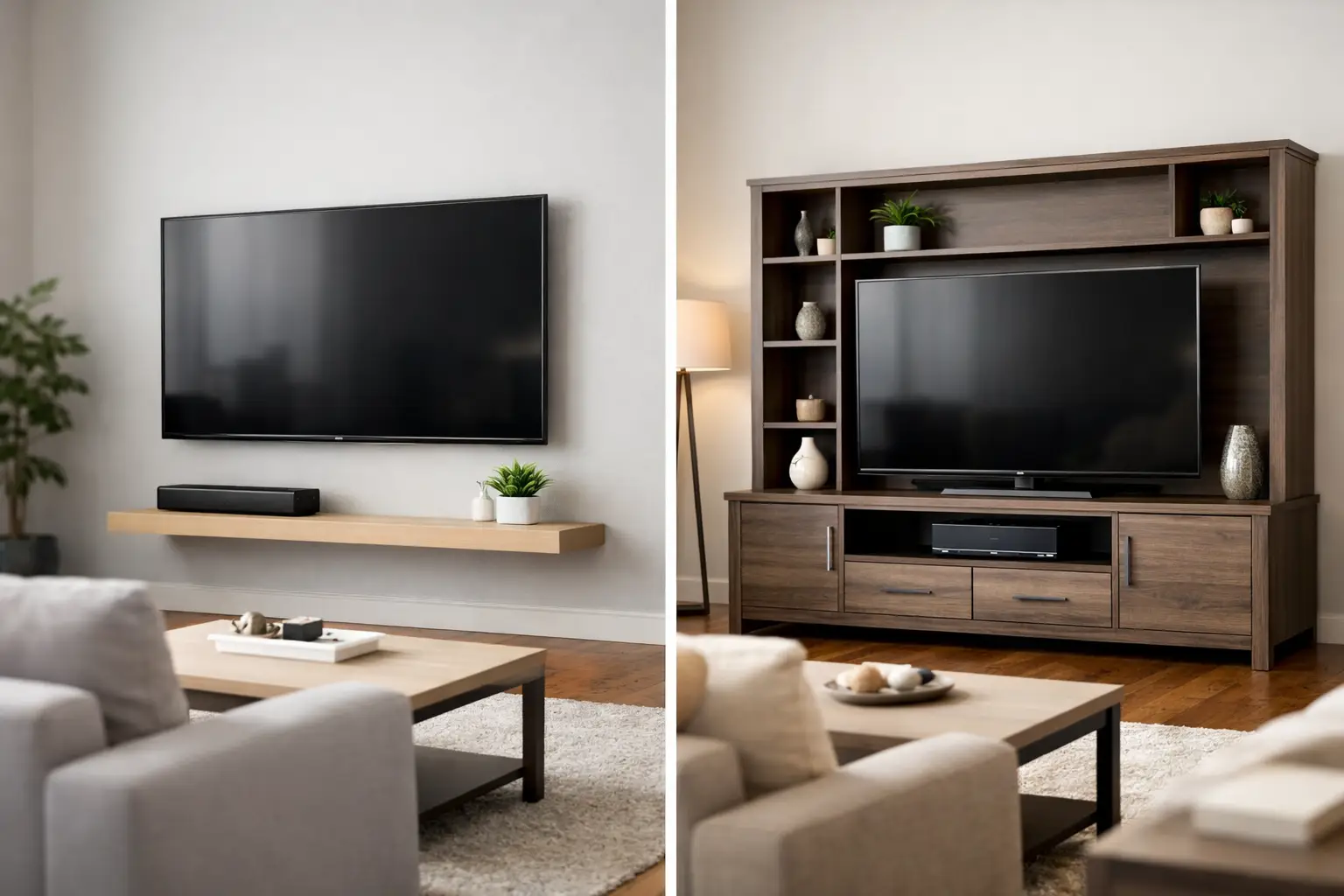
A new TV can make a living room feel finished – until it is time to decide where it belongs. Wall mounting vs entertainment center placement is not simply a style choice. It affects how safely the TV is installed, how much floor space you keep, where cords go, and how easily your room can change when you move or add new furniture.
For busy homeowners, renters, and families across Austin and Central Texas, the right answer depends on the room, the wall, and the way you actually use your space. A polished setup should be comfortable to watch, secure around kids and pets, and easy to live with long after installation day.
Wall Mounting vs Entertainment Center: The Big Difference
Wall mounting places the TV directly on a wall with a properly rated mount secured to the wall structure. An entertainment center supports the TV on its built-in base while providing shelving, cabinets, or drawers beneath it. Both can look great. The better option is the one that solves the practical needs of your home without creating new ones.
A wall-mounted TV creates a clean, elevated look and frees the floor below it. This can be especially useful in apartments, smaller living rooms, bedrooms, and open-concept homes where every square foot matters. With the right mount, you may also be able to tilt the screen to reduce glare or extend and swivel it toward different seating areas.
An entertainment center is often the simpler choice when storage is the priority. It gives you a designated place for gaming consoles, streaming devices, sound equipment, remotes, family photos, and the items that tend to collect in a main living space. It can also make sense if you prefer to avoid drilling into a wall or expect to rearrange your furniture frequently.
When a Wall-Mounted TV Makes More Sense
Wall mounting is a strong choice when you want a streamlined room and a more intentional viewing height. It can turn an unused wall into the focal point of the space without requiring a large piece of furniture below it. In a narrow apartment living room, for example, removing a deep media console can make the room feel more open and easier to walk through.
Safety is another major reason homeowners choose a wall mount. A properly installed mount keeps the TV secured instead of resting on furniture that could be bumped, climbed, or tipped. This matters in homes with active children, pets, or crowded gathering spaces. The mount must be selected for the TV’s size and weight, and it needs to be anchored appropriately for the wall type. A mount that looks secure but is fastened incorrectly can damage drywall or create a real safety risk.
Wall mounting also gives you more flexibility with sightlines. If your sofa sits farther back in the room, if you watch from a kitchen island, or if sunlight creates glare at certain times of day, a tilting or full-motion mount may offer a better viewing experience than a fixed TV stand. The key is placing the screen at a comfortable height, not simply as high as possible. A TV mounted too high can lead to neck strain during long movie nights or game days.
Cords deserve attention before the TV goes on the wall. A clean setup may involve routing cables through a wall where appropriate, using a cord cover, or placing devices in a nearby cabinet. Think through your power outlet, HDMI connections, cable box, soundbar, and gaming system ahead of time. Planning these details first helps avoid a finished mount with a visible bundle of wires hanging below it.
When an Entertainment Center Is the Better Fit
An entertainment center is not a fallback choice. For many homes, it is the most practical foundation for a comfortable media area. If you have several devices, need closed storage for kids’ toys or games, or want a place to display decor, a console can keep the room organized while supporting the TV.
It is also a good fit for renters who cannot make wall alterations under their lease. Some landlords allow small holes but prohibit large mounts, in-wall cable work, or mounting into certain surfaces. Check your lease before making plans. If wall mounting is not permitted, choose a sturdy entertainment center with a top surface designed for your TV size and weight, and use an anti-tip strap for additional security.
Furniture-based setups are easier to reposition, too. If you change apartments, redesign the room, or decide the TV belongs in a different corner, moving an entertainment center may be simpler than patching and repainting a wall. This flexibility can be valuable for people who move often or are still learning how they want to use a new home.
The trade-off is footprint. A media console takes up visual and physical space, even when it provides useful storage. It may also limit your options for TV placement because the screen has to sit where the furniture fits. In a compact room, that can mean less walking room and fewer furniture layouts.
Consider the Wall Before You Choose
Not every wall is equally suited for a TV mount. Standard drywall over wood studs is common and can support a properly installed mount when the right hardware and mounting points are used. Metal studs, masonry, brick, plaster, fireplaces, and specialty wall systems require a more careful approach.
A fireplace wall deserves particular caution. The space above a fireplace can look visually appealing, but heat, viewing height, and wiring access need to be considered. If the TV must sit high above the mantel, an entertainment center on another wall may provide a more comfortable everyday setup. If the fireplace wall is your best option, professional guidance can help you assess the surface and choose a mount that supports safer viewing.
Do not assume a stud finder and a few screws are enough for every project. The weight of the TV, the style of mount, the wall material, and the equipment attached to the TV all matter. A full-motion mount places more leverage on the wall than a slim fixed mount, so installation details become even more important.
Measure Before You Buy
Whether you mount the TV or place it on furniture, measurements prevent expensive frustration. Start with the TV width, the room dimensions, and the distance between your main seating area and the screen. Then consider the height of the TV’s center, not just the top or bottom edge.
For an entertainment center, confirm that the surface is wider than the TV’s feet or base and rated to hold its weight. For wall mounting, make sure the mount supports your exact TV size, weight, and VESA pattern. Leave room for ventilation around consoles and receivers, especially inside enclosed cabinets.
A Combined Setup Can Offer the Best of Both
You do not have to choose between a mounted TV and furniture below it. Many homeowners wall-mount the television while using a low console or floating cabinet for storage. This approach keeps the screen off the furniture, opens up the room, and still gives you a home for devices and everyday essentials.
It works particularly well when you want a clean, modern look but need practical storage. The furniture below can hide a router, gaming console, or sound system, while the wall-mounted screen keeps the overall arrangement from feeling bulky. Just plan cable routes and ventilation before finalizing the layout.
Get the Setup Right the First Time
A TV setup should feel simple once it is complete. You should be able to sit down, turn it on, and enjoy the room without worrying about a loose mount, a wobbly console, exposed wires, or furniture that is not assembled correctly.
Smart Solutions TX provides professional TV mounting and furniture assembly for homeowners and renters who want the work handled with care. Background-checked technicians, precise installation, and a 90-day service guarantee help take the uncertainty out of a project that needs to be done right.
Choose wall mounting when clear floor space, secure placement, and flexible viewing angles matter most. Choose an entertainment center when storage, easy relocation, or lease restrictions lead the decision. And if your room needs both, build the setup around how your household lives – then let a well-planned installation make it feel effortless.